The short answer
AI is now good at the scene around a product. Light, surfaces, believable settings: it handles these well. It's less reliable at the product itself. Small text, exact colour and reflective metal are where it slips.
So is it usable? Yes, if every single image is checked against the real product. That's the whole condition. Skip the check and you'll eventually publish a mangled label or a colour your customer didn't order. The results below come from our own test runs. They're a small sample, so read them as what we saw, not as industry statistics.
What AI product photography actually is
When you give an image model your product photo and a scene description, it doesn't paste your product into a new background. It draws a whole new picture. The product in that picture is redrawn, pixel by pixel, to look like your product in the new setting.
That's a different thing from background removal. Background removal cuts out the pixels that belong to the product and drops them somewhere else. The product stays as shot, edges and all. Scene generation redraws everything, including the thing you care about most. If you want the plain mechanics of how to change a product photo's background, that guide goes through the options.
The difference matters because pasted pixels can't be wrong in the way redrawn ones can. A cut-out label is the real label. A redrawn label is the model's best guess at what a label like yours would look like. Sometimes the guess is excellent. Sometimes it's confident nonsense. And you can't tell which from the image alone, only by comparing it with the original.
What it gets right
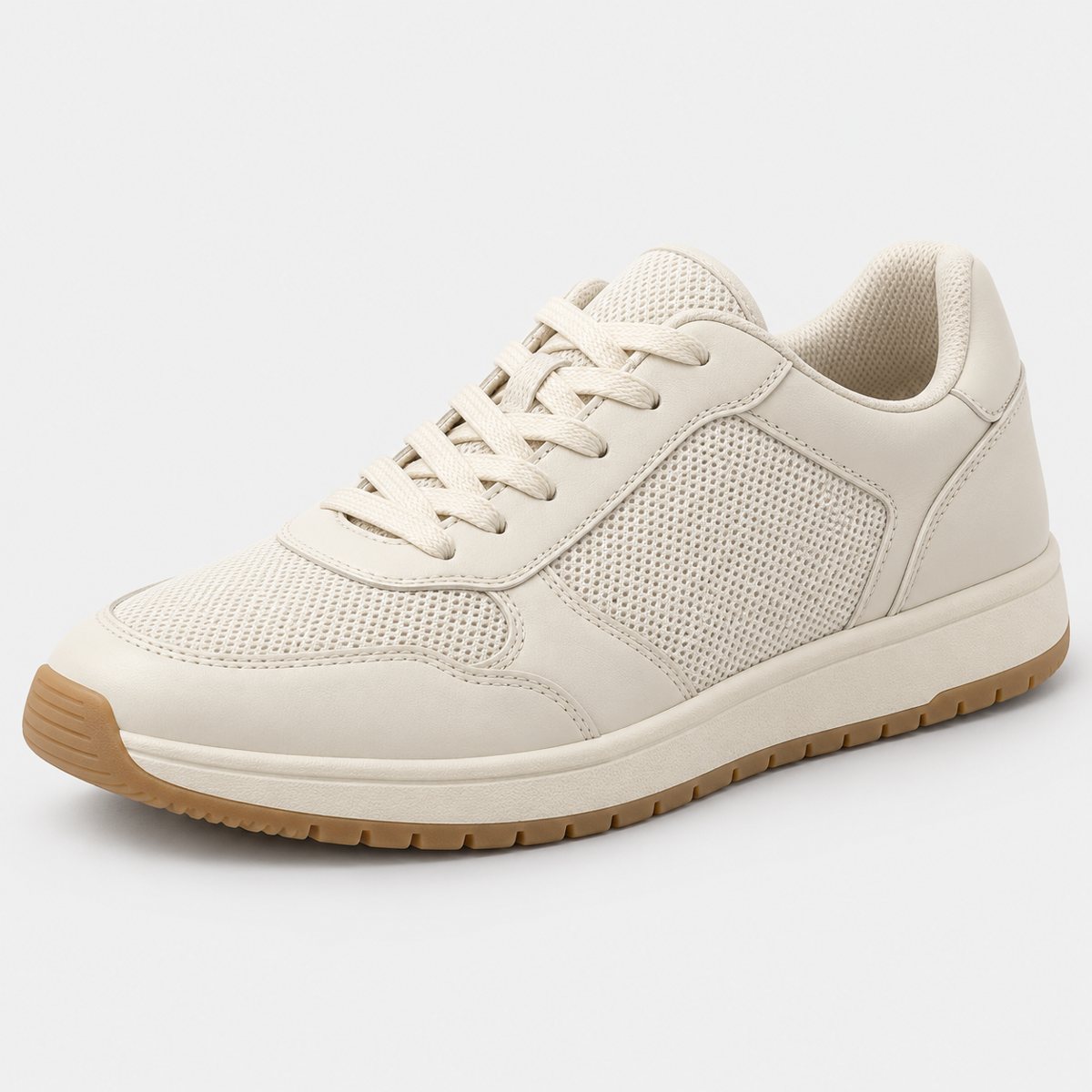
Start with the good news, because there's plenty. In our demo run on 2 October 2026, we put 10 products through 3 scenes each: a perfume bottle, skincare jar, trainer, handbag, mug, steel bottle, coffee pouch, headphones, chair and necklace. That made 30 shots. Of those, 27 were delivered and 3 were held back by the check.
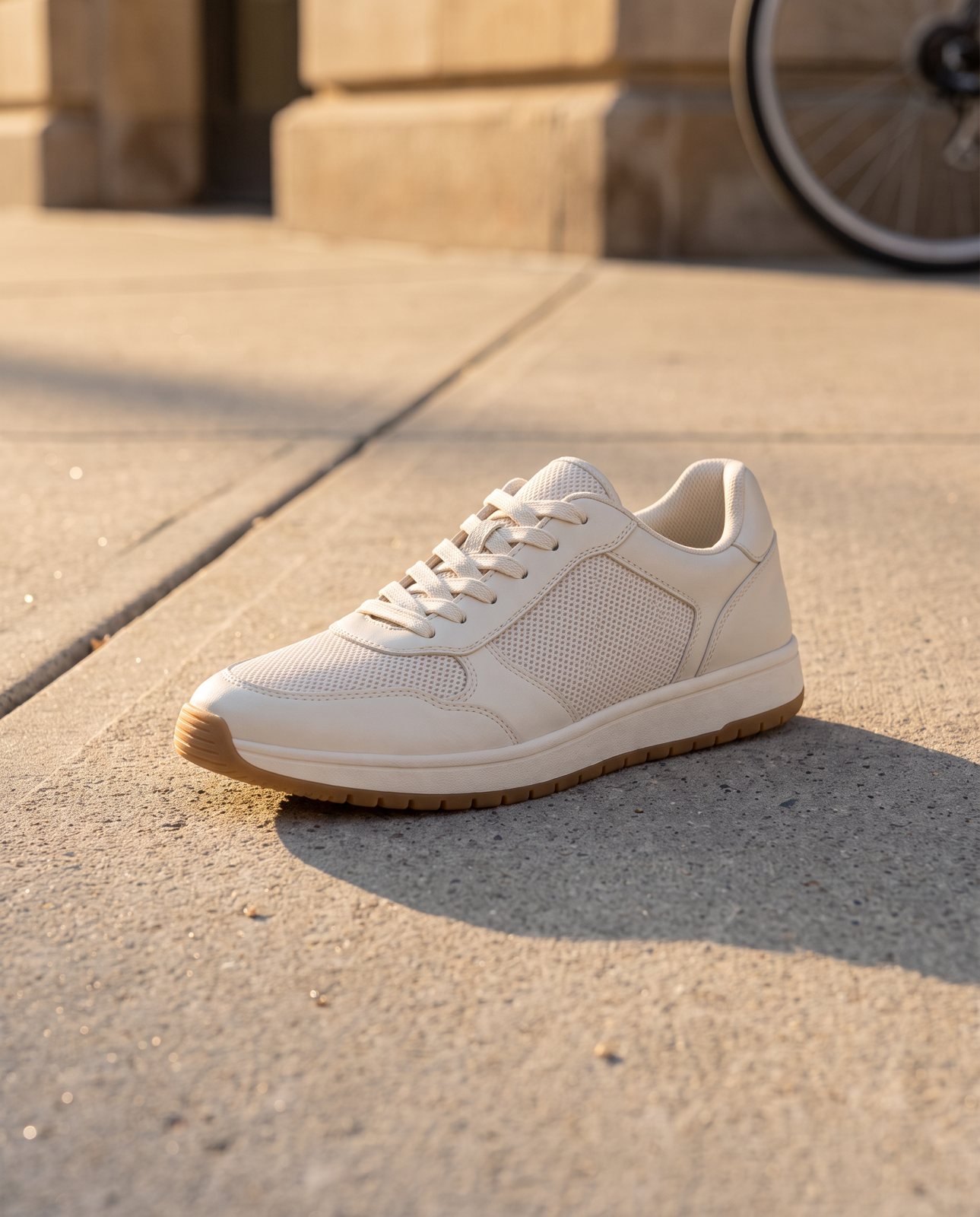
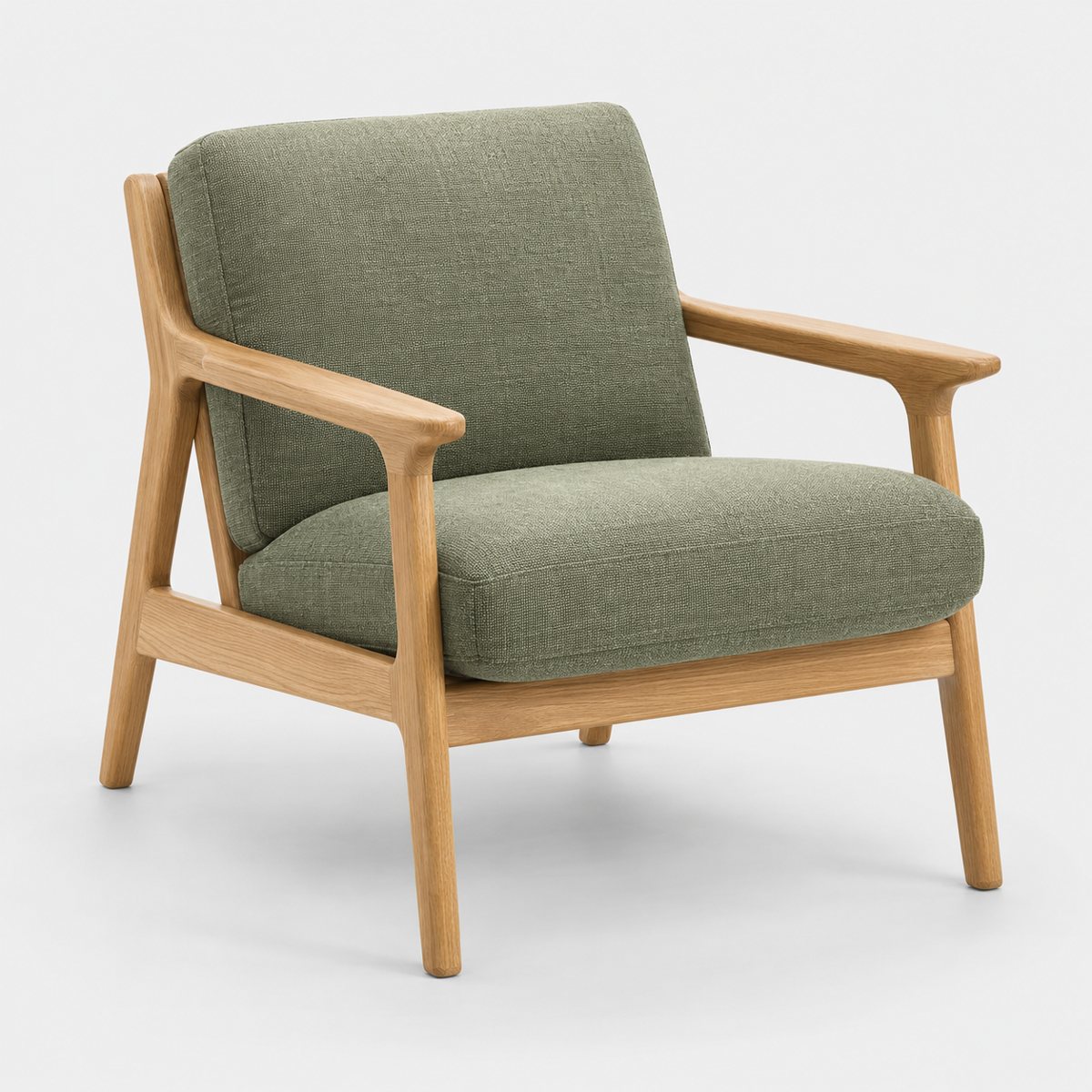
Of the 30, 19 passed the check on the first attempt. Another 8 were delivered after a second or third attempt. The trainer, the chair and most of the mug, headphones and necklace scenes sailed through first time.
Shapes and materials largely held. Cream leather still looked like cream leather. Mesh and gum sole on the trainer stayed mesh and gum sole. Sage upholstery and oak on the chair came through as sage and oak. These are the broad, forgiving surfaces that a model can reproduce convincingly, and it did.
The scenes themselves were the other strength. Contact shadows sat where they should. Light fell from a believable direction and wrapped around the product the way real light would. And some of the settings were ones you couldn't easily shoot yourself: a grand hotel lobby, a sunlit conservatory. Hiring that location, or building it in a spare room, costs real time and money. Asking for it costs a prompt.
To be fair, none of this is magic. It's a model that has seen an enormous number of lit, shadowed scenes and is good at producing another one. The scene is where that pays off most.

What it gets wrong
The product itself is where the cracks show. Four things came up in our testing.
Small text. In a separate test on 1 October 2026 with a famous-brand trainer, the small printed text on the product, a tongue label, came out garbled on most shots. Logos and large text held up. That's an important split. Big, bold lettering survived; fine print didn't. If your product's selling point lives in the small type, such as ingredients, sizing or a certification mark, treat every generated version with suspicion.
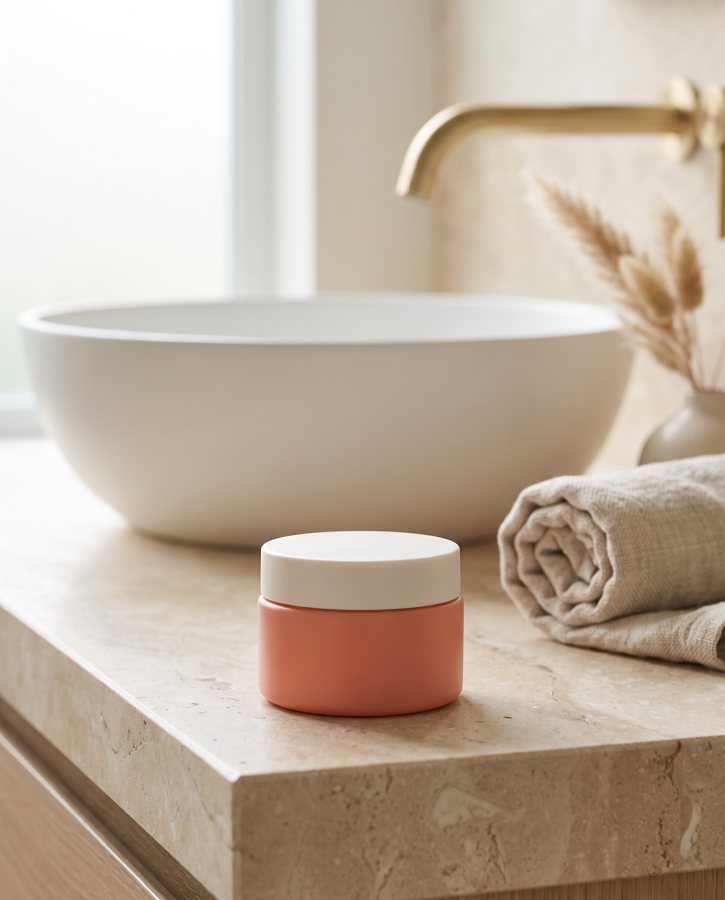
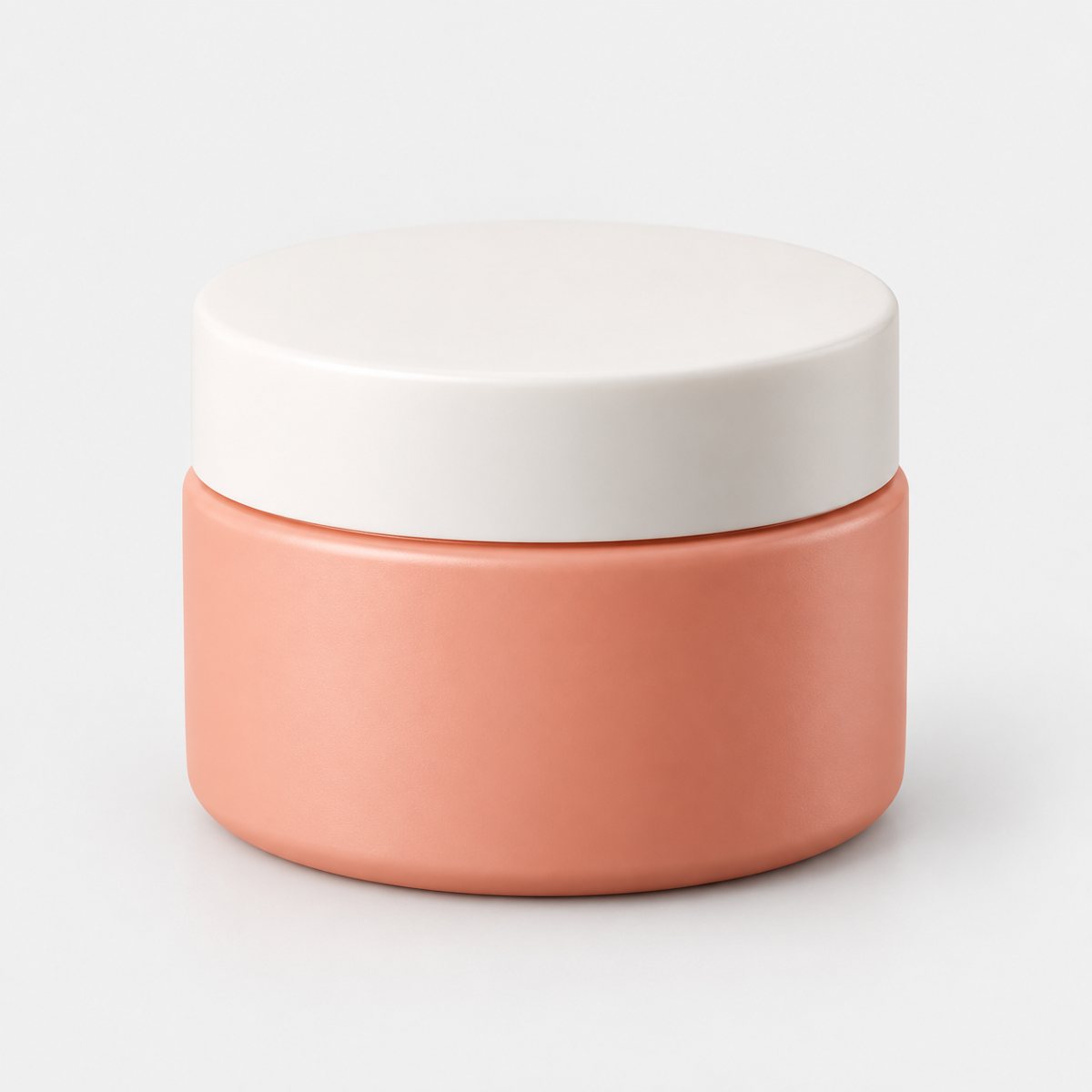
Colour on certain products. Two cases stood out in the demo run. A coral skincare jar drifted in colour. Amber perfume did the same, and one perfume attempt was rejected outright as "colour wrong". Colour that sits between obvious categories seems to be the risk, because the model nudges it toward whatever looks natural in the new light.
One scene that never arrived. The coral jar on wet poolside stone never delivered. The colour kept shifting, the check kept catching it, and after the allowed attempts it was held back. That's the system working, but it's also a reminder that not every scene works for every product.
Brushed steel. Reflective metal was the hardest material. In our testing the brushed steel picked up its surroundings, and the check would not pass the result. Two steel bottle scenes, one at a mountain campsite and one in a fitness studio, failed all three attempts and were never delivered.
Notice the pattern. None of these failures are dramatic. A garbled tongue label looks like a label until you read it. A drifted coral looks like a nice coral until you put it next to the jar. That's what makes them risky: they pass a quick glance.
Why the product changes
The cause is simple, and it explains all four problems above. The model regenerates every pixel. It has no memory of what must stay fixed. It isn't holding your label in a locked layer while it paints the scene around it. Everything is up for redrawing, and everything gets redrawn.
So a label becomes plausible-looking letters. Not your letters; letters that look like the sort of thing that goes on a label. A colour drifts toward what looks natural in the new light, because the model is optimising for a believable image, not a faithful one. Believable and faithful overlap a lot, but they're not the same thing, and the gap between them is where your product gets altered.
This is why general AI chat tools are a risky route for this job. ChatGPT and Gemini can restage a product, but they redraw it in the process, so labels, logos and colours can change. There's no built-in check against the original. You can type "keep the product exactly the same" into the prompt, and that's worth doing. But it's a request. Nothing sits behind it to confirm it was honoured. The tool can't compare its output with your photo and tell you it failed. That job falls to you, every time.
That's the real difference between a tool that generates and a process that verifies. Generating is the easy half.
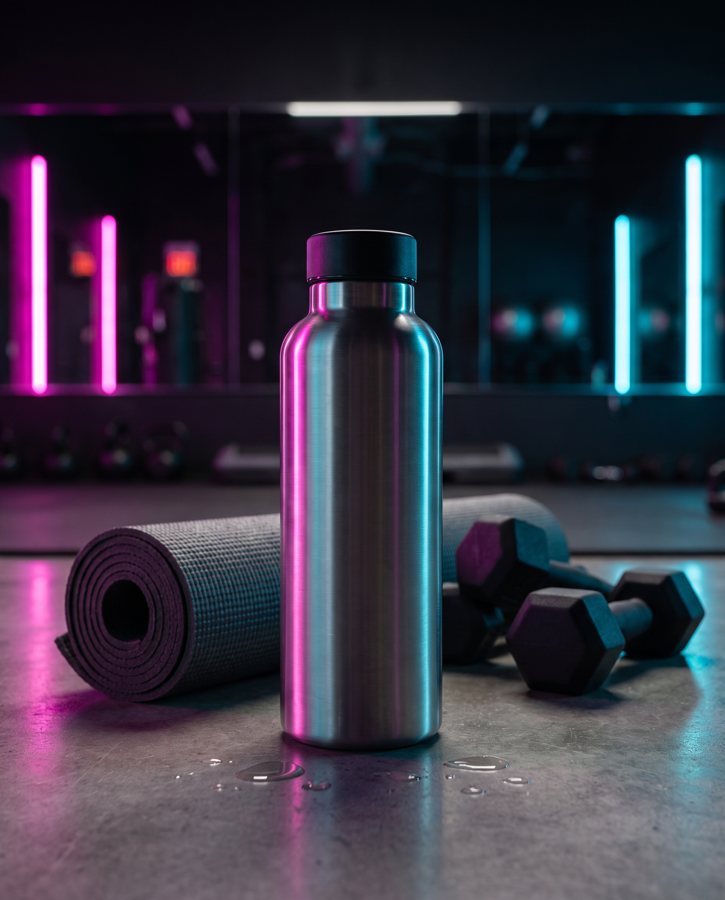
Brushed steel took on the neon of the room. This scene failed all three attempts and was never delivered.
Brands, platform rules and labelling
Three separate things are tangled together here, so let's pull them apart.
Famous brands. In a 1 October 2026 test with a famous-brand trainer, image services refused 5 of 14 generations. An unbranded product had none refused. So if you sell a well-known brand's products, expect friction, and expect some scenes to simply not be produced. If you sell your own unbranded or independently branded goods, this mostly won't touch you.
Advertising rules. The ASA and CAP said on 29 May 2025 that there's no blanket legal requirement in the UK to disclose the use of AI in ads. But they also made the point that disclosure alone is very unlikely to fix a fundamentally misleading message. Read that carefully. A label saying "AI-generated" doesn't rescue an image that shows the wrong colour or an invented logo. If the picture misleads, the disclosure doesn't cure it. The fix is an accurate image in the first place. This isn't legal advice, and you should check the current position yourself.
Marketplace rules. Etsy's Listing Image Requirements (last updated 9 July 2024) require original photos of the actual product buyers will receive, not renderings or stock photos, with limited exceptions for personalised items and production partners. The practical reading: keep real photos of the real item in your listing, and think carefully about where an AI scene fits alongside them. Each platform has its own rules and they change, so check each one's current wording before you upload.
And then there's labelling. Whatever the law says, being open about it is sensible. A buyer who learns later that a lifestyle image was generated, and who then finds the product doesn't match, has a fair complaint. A buyer who was told up front, and who has real photos to rely on, usually doesn't.
How to use AI product photos safely
You can use these images and keep your listings honest. It takes a routine, and the routine isn't long.
- Write down what must stay the same, first. Before you generate anything, list it: the exact colour, every word on the label, the shape, the finish, the small details. If you don't define it, you can't check it.
- Compare side by side. Put the generated image next to your original. Check colour, then every word, then shape, then finish, then the small details, then look for anything added that wasn't there. This is the step that catches the garbled tongue label and the drifted coral. The guide on how to change a product photo's background has the full checklist.
- Keep at least one unedited real photo in every listing. Always. It's what the buyer can rely on, and on some marketplaces it's what the rules expect.
- Reject rather than retouch a changed product. If the model altered the product, don't patch it in an editor. Throw the image out and try again. A retouched fix on a redrawn product tends to leave other small changes you haven't spotted.
- Disclose where a reader could be misled. If a scene could suggest something untrue about the product, say what it is. Remember that disclosure supports an accurate image; it doesn't replace one.
For prompts, light and scale, see how to get a professional result with AI backgrounds.
None of this is complicated. It just has to happen on every image, not most of them.
How Product Photo Shots helps (and what it doesn't do)
We built Product Photo Shots around the check, because the check is where this goes right or wrong. Here's what it does.
Before you pay, we study your photo and list what must stay the same. That's free and takes about a minute; in a measurement on 1 October 2026, the precheck took 11 seconds. A shot that changes the product is remade with a specific fix, up to three attempts in all. If it's still wrong after that, a person checks it. It's never delivered as is. You also get one free redo per delivered shot.
The check does catch things. In an adversarial test, it rejected a product that had been recoloured blue ("colour wrong") and a product with a made-up logo added ("added text"). Both were flagged.
Every shot is reimagined with AI and labelled, and the files carry standard AI-provenance metadata. We shoot products you own or sell. Well-known brands' products can't be shot, because the image services refuse them, and customers are told that before paying.
On price: 3 shots are £19 (£6.33 a shot), 5 shots are £29 (£5.80 a shot), and 10 shots are £49 (£4.90 a shot). A custom order of 11 to 40 shots is £4.50 a shot. Prices include VAT. To weigh that against a photographer, see what product photography costs in the UK.
Now the limits, because they matter as much. We don't do plain white-background packshots. A lightbox or a studio does those better and cheaper, and you should use one. We don't shoot famous-brand products. And we can't promise every scene works on every material. Brushed steel is the proof: two scenes on the steel bottle never delivered, because the check wouldn't pass them. We'd rather hold a shot back than send you one that misrepresents the product.