The short answer
Etsy now allows AI-edited listing images of a real product, including a new background or setting, as long as they accurately show the item. Most listings must also include at least one unedited photo of the actual item against a real background. That's the whole deal, really.
So the plan is simple. Shoot one honest photo yourself, have the setting shots made from it, and check every single one before it goes up. If you want a hand with the setting shots, Product Photo Shots is one way to get them, though you can use any route you trust.
What Etsy's rules now say
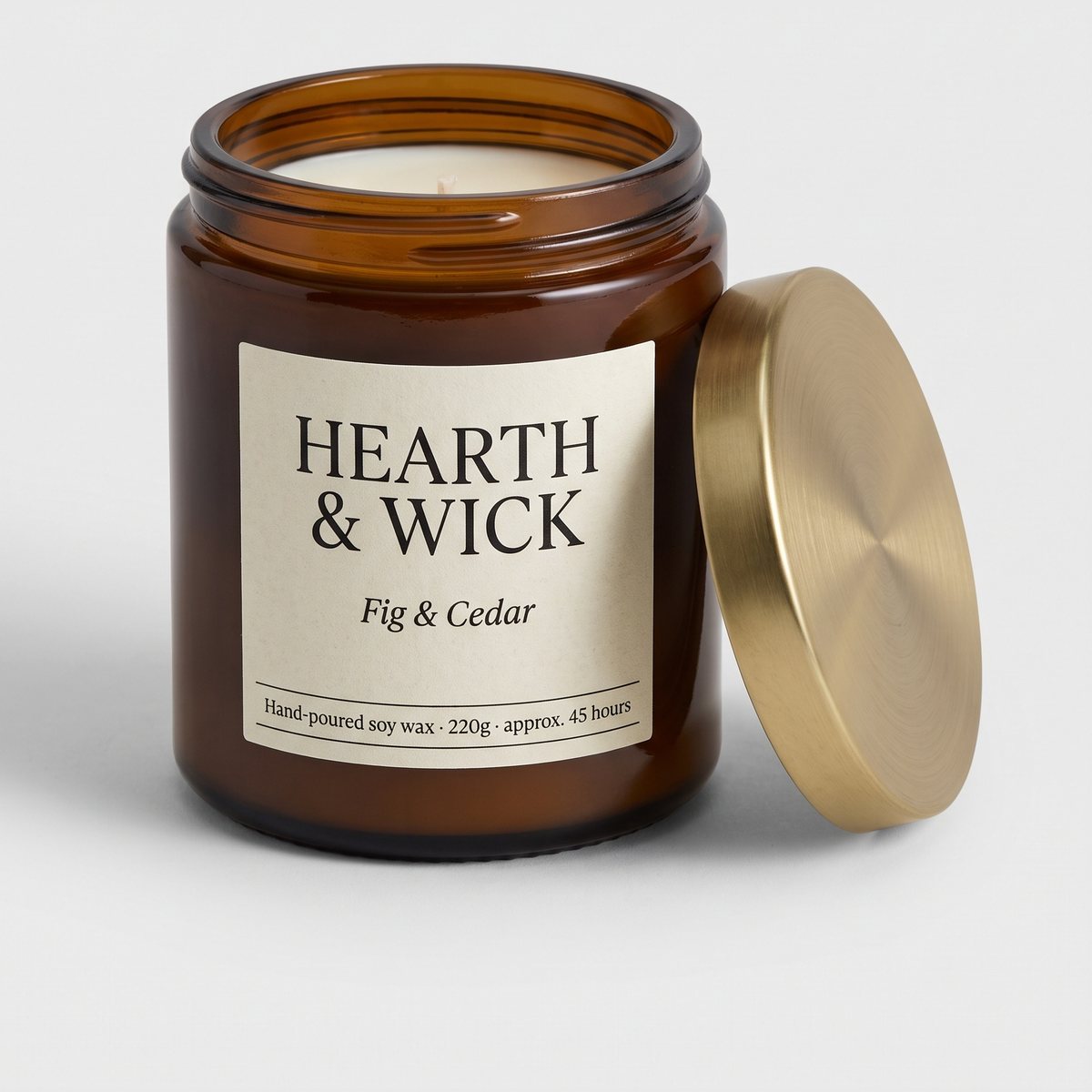
Etsy's listing image requirements were last updated on 22 October 2026, and the wording matters, so let's stay close to it. The requirements say all images must accurately reflect the item's true colour, condition, scale and materials. For most products, at least one photo has to be an unedited photo of the actual item against a real background, with no editing software or AI used on it. Every other image may use editing or AI tools, provided the result stays an accurate representation of the physical product.
The Seller Handbook page, "What's Etsy's Stance on AI Creations?", says the same thing in friendlier language. Etsy knows it can be helpful to use AI tools to edit your listing images or place your items in specific contexts to show their relative size or how they could be used. But even when AI is used, your listing images must honestly and accurately represent the item a buyer will receive. Sellers using AI in listing images must include at least one unedited photo against a real background.
In plain words, here's what's allowed: adjusting lighting and colour so the photo matches real life, cropping, and cleaning up or replacing the background. Here's what's prohibited: changing the colour, texture or condition of the item, hiding defects, and using AI to change the item's design or features.
Read that last bit twice. A candle in a new setting is fine. A candle that quietly became a slightly different candle is not.
Why does accuracy matter so much? Because of your money, mostly. Etsy's requirements say that if the item a buyer receives is materially different from the image, Etsy may refund the buyer and the seller may be responsible for the refund amount. Misleading listings may be removed, and repeated violations can lead to shop removal. So a pretty picture that oversells the product is a risky shortcut, and it can end in a refund you have to pay.
There's one more rule that people mix up with all this. Under the Seller Policy and Creativity Standards, if an item is created through the use of AI, the seller must disclose that in the listing description. That rule is about AI-made items, not photos of real things you made with your hands. Your hand-poured candle photographed with AI help isn't an AI-made item.
Still, we'd suggest a one-line note in the description anyway, something like "Setting photos created with AI from a photo of the real item." That's our advice, not Etsy's rule. It costs you one sentence and it keeps buyers from feeling surprised.
The photo you shoot yourself
For most products this is the photo Etsy requires, and honestly it's the easiest one to get right. You don't need a studio. You need a window, a plain surface and your phone.
Put the item on a table, a worktop or a sheet of plain paper near a window, so the light falls softly across it. Avoid direct sun if you can, because harsh shadows hide detail and shift colours. Etsy wants a real background here, and a plain one is the easiest, so don't fuss about making it fancy. No editing software, no AI, no filters. Just the real thing, looking like itself.
Here's the bit that makes this photo earn its keep twice. It's also the photo you'd upload to an AI service to make the setting shots. A clear, honest, well-lit original gives any service the best chance of keeping your product exactly as it is. A blurry or dim one gives it guesses to make, and guesses are where colours drift and details go missing.
Think about size and shape while you shoot. Etsy's Help Centre recommends listing photos with a width and height of at least 2000 pixels or more, and says your first photo should have a width and height of at least 635 pixels to avoid showing up lower in searches. It also says images larger than 1MB may not finish uploading, especially on a slower connection, and that uploaded images can look a little less sharp because Etsy compresses them. Sizes are optimised for mobile.
On shape, the first photo should be landscape or square, so the centre focal point survives the cropped thumbnails. Etsy crops thumbnails to square, portrait and landscape in different places across the site. So leave a bit of breathing room around the item rather than filling the frame edge to edge.
If you're new to phone photography, our guide to taking product photos with your iPhone walks through the basics. And the full numbers are in the Etsy listing photo size guide.
The photos you can have made
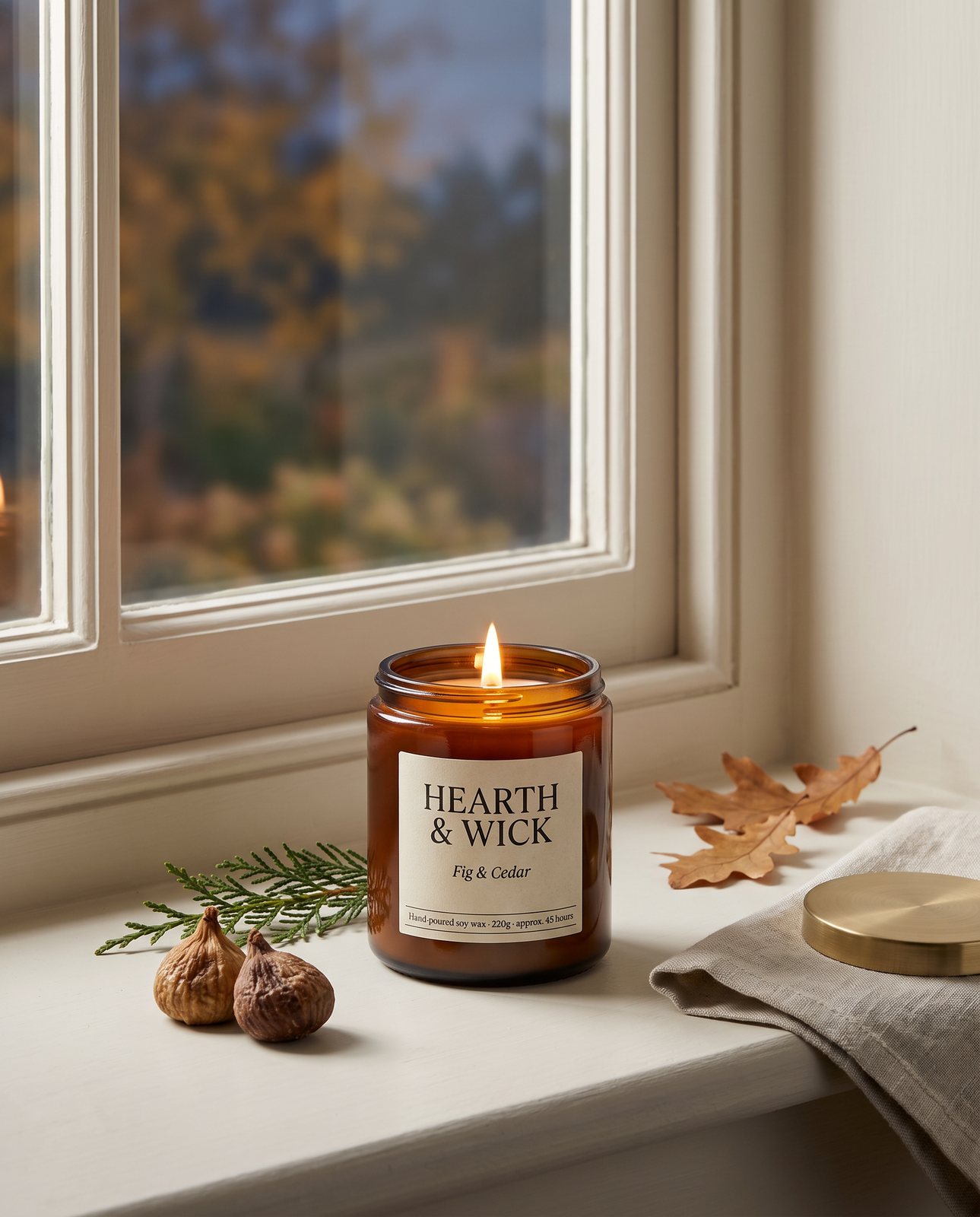
Once you've got your honest photo, the setting and lifestyle shots are where a listing starts to feel alive. Etsy's own phrase is showing "relative size or how they could be used", and that's exactly what these shots do. A mug on a breakfast table. A ring on a velvet dish. A print propped on a shelf beside a plant. Seasonal scenes too, like a candle with autumn leaves or a winter mantelpiece, so one product can have a fresh look without you rearranging your kitchen. There's more on this in our guide to lifestyle product photos.
Here's how it works with us, so you know what you're getting. You upload 1 to 3 photos as JPG, PNG, WebP or HEIC (the iPhone format), up to 15 MB each. HEIC has been accepted since 3 October 2026, so no converting needed. Before you pay, we study the photo and list what must stay the same, like the colour, the label text and the shape. That check is free and takes about a minute; our own measurement of it came in at 11 seconds on 1 October 2026.
You choose the shape you want for each shot: square 1:1, portrait 4:5, story 9:16 or wide 16:9. Then the shots get made. A 3-shot order took about 4 minutes in testing on 1 October 2026.
Every shot is reimagined with AI and labelled as such, and the files carry standard AI-provenance metadata. We'd rather be upfront about that than hide it. Every shot downloads two ways: as the native full-size PNG, and as an sRGB JPEG resized to at least 2,000 px on the short side and kept under 1 MB. That JPEG is the one you'd normally upload to Etsy, since it fits the size advice above. Eight real shots measured 0.14 to 0.69 MB as JPEG on 3 October 2026, while the PNGs ran 4 to 8 MB. Free samples are a single watermarked JPEG.
Packs are simple. 3 shots are $26 ($8.67 a shot), 5 shots are $40 ($8 a shot) and 10 shots are $67 ($6.70 a shot). A custom order of 11 to 40 shots is $6.10 a shot.
Now the honest limits, because there are some. Certain materials are harder. In our testing, a coral skincare jar and amber perfume both showed colour drift, and one perfume attempt was rejected as "colour wrong". Brushed steel tends to pick up its surroundings, and two steel bottle scenes failed all three attempts and were never delivered. So if your product is a tricky colour or a shiny metal, expect to need extra attempts, and know that some shots may not be delivered.
One more limit. We shoot products you own or sell. Well-known brands' products can't be shot, because the image services refuse them, and customers are told before paying.
Building a listing set
Etsy lets you add up to 20 photos and 2 videos per listing, and the first photo is the listing thumbnail. You don't need anywhere near 20. A set of 6 to 10 images covers most products well, and it's easier to keep honest when each image has a job.
Here's a plan that works for most handmade sellers. Start with your unedited photo, the real item against a real background. Then add a scale shot, something that shows how big the thing actually is, like a hand holding it or a familiar object beside it. Next, a detail close-up that you shoot yourself, showing texture, stitching, glaze or finish. Phone macro is usually fine for this.
After that, add two or three setting shots made from your original, showing the item in use or in a room. Then a packaging shot, because buyers love knowing how it will arrive, especially for gifts. Finish with variations, like the other colours or sizes you sell.
Think about the thumbnail crop when you choose the order. Since thumbnails get cropped to square, portrait and landscape in different places, check that the item stays centred and recognisable in each one. A tiny product floating in a huge scene can vanish at thumbnail size.
Some products have their own quirks, so we've written separate guides. For wax, glass and flame, there's our guide to candle product photography. Jewellery has its own challenges with shine and scale, covered in our jewellery product photography guide. And mugs, with their handles and reflections, get the same treatment in our mug product photography guide.
Checking a shot before it goes up
Whoever makes the image, the final check is yours. Etsy's rules put accuracy on the seller, so take a minute with each shot, zoomed in, ideally next to the real item.
- Colour. Compare it with the real product in daylight. If the glaze, wax or metal looks even slightly different, it fails.
- Labels and text, letter by letter. Read every word on the packaging, print or label. AI can get lettering slightly wrong, so don't just glance at it.
- Shape and details. Count things: handles, stones, wicks, clasps. Check proportions, and look for any feature that wasn't on your original.
- Scale. Does the item look the right size next to the objects around it? A mug that seems the size of a bucket will upset someone.
- The unedited photo. Make sure the real, untouched photo is in the set. We'd put it first, though Etsy doesn't ask for that.
Here's how we check on our side, for what it's worth. Every shot is compared against your original. In an adversarial test, the check rejected a product recoloured blue ("colour wrong") and a product with a made-up logo added ("added text"). A shot that changes the product is remade with a specific fix, up to three attempts in all. If it's still wrong, a person checks it, and it's never delivered as is. You also get one free redo per delivered shot.
Our check is a safety net, but your eyes are the final say. There's more on how this works in our guide to AI product photography.