The short answer: colour is the promise
With cosmetics, people are buying the shade. The glass shows what kind of product it is, and the label shows what it does. If any of the three drifts in a new scene, the picture promises something the box cannot deliver.
So check them in order: colour first, then glass and shape, then the label. Only after that should you judge whether the marble, the props and the mood look good. The scene can always be redone. A wrong shade on a listing can only end in a return or a disappointed customer.
What slipped in our testing: a coral jar and amber perfume
On 2 October 2026 we ran a demo set of ten products, including a perfume bottle and a skincare jar, with three scenes each. That came to 30 shots: 27 were delivered and 3 were held back by the check. It is a small sample, so read it as what we saw rather than a rule.
Most of the products that were held back or needed extra attempts had colour drift, and two of them were the cosmetics. The skincare jar is matt coral with a cream lid. In one rejected attempt on a stone bathroom counter, the coral came out slightly hotter and more orange than the original. Seen on its own it looks fine. Put it next to the original and it is a different product.
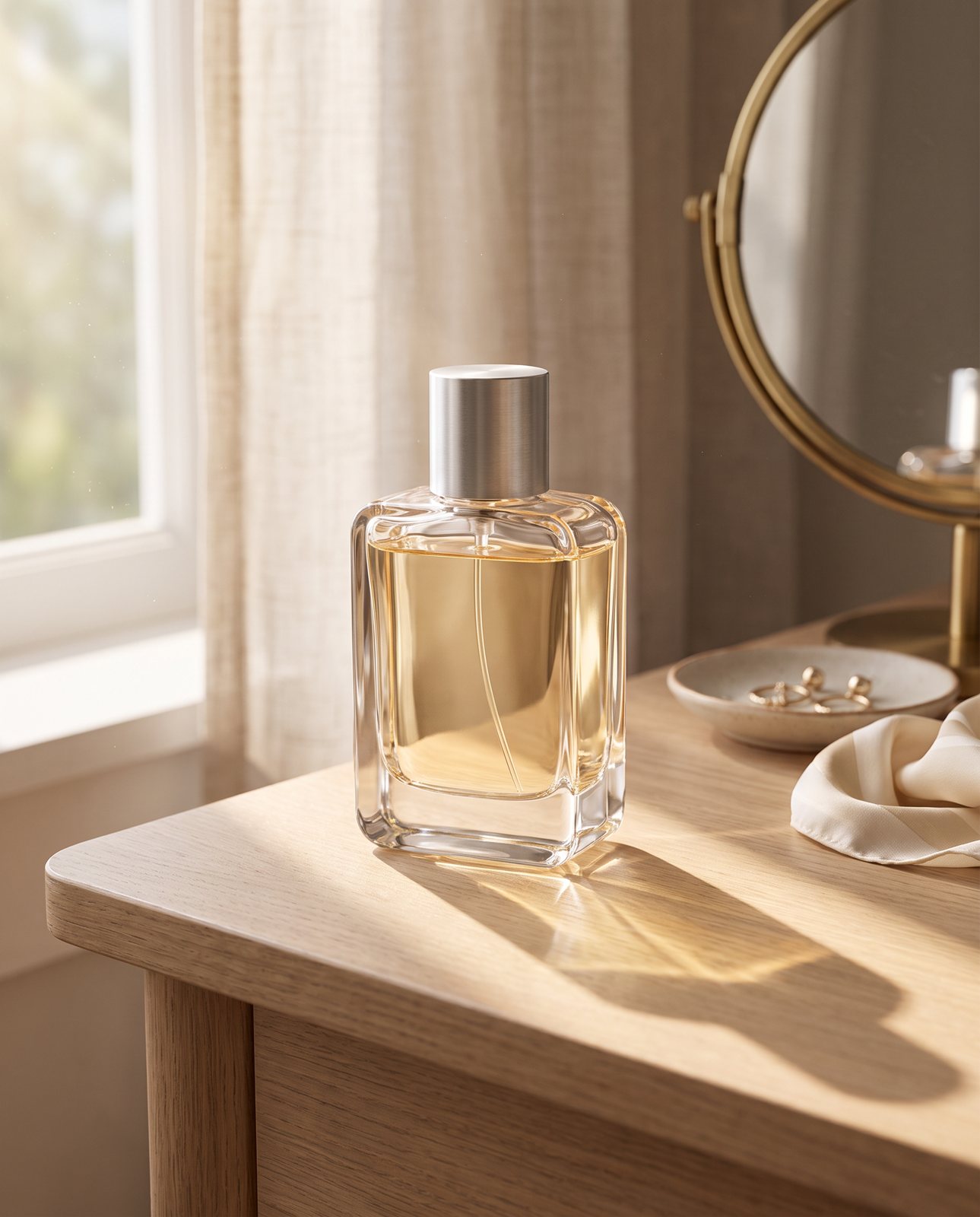
The perfume is a clear glass bottle with a pale champagne liquid and a brushed silver cap. In a dark, moody podium scene, one attempt turned the liquid a deep amber, and the check rejected it as "colour wrong". The shot that was delivered for that scene kept the pale champagne. Liquid in clear glass is especially prone to this: the scene's light passes through it, so a warm, dark scene pulls the colour warmer.
We also tried to fool the check on purpose. It rejected a product we had recoloured blue ("colour wrong") and one with a made-up logo added ("added text").
Small print is the other weak spot. In a separate test with a famous-brand trainer, small printed text came out garbled on most shots, while logos and large text held. Cosmetics labels are full of tiny type, such as ingredients and volumes, so treat small text in any AI scene as wrong until you have read it.
Shoot the source photo so colour and label survive
Most of the colour accuracy is decided before any AI is involved. Every scene starts from your photo, so a warm or blotchy original carries its error into every result.
Photograph the product once, under even light. A window with soft daylight works, as does a softbox. Aim for no coloured cast, no hard shadow across the label and no glare on the text.
- Shoot the label face-on so the type is as sharp as you can get it.
- Angle the product so reflections stay off the printed areas of glass.
- Use a plain background so the edges are clean.
- Leave space around the product rather than cropping tight on the cap.
For the lighting itself, see our guide to product photography lighting. The plain-background basics are in white background product photography.
With us, you upload one to three photos (JPG, PNG, WebP or HEIC, up to 15 MB each). Before you pay, a free check takes about a minute and lists what must stay the same in your product. For cosmetics, that brings the shade and label question up at the start, before you have a folder of images you are not sure about.
If a shot changes the product, it is remade with a specific fix, up to three attempts in all. If it is still wrong, a person checks it, and it is never delivered as it is. You also get one free redo per delivered shot, in case something gets past the check.
Swatches, textures and faces: what we do not do
We do not make swatches on skin, texture smears or shots with models. We also cannot shoot well-known brands' products, because image services refuse them. If that is what you upload, we tell you before you pay.
The swatch line matters most. A lipstick swatch tells the buyer how the shade looks on a real arm. If an AI image shows that, it is inventing the result, and a label does not fix that. The UK Advertising Standards Authority gives this exact example: an AI image showing a cosmetic's effect that does not match real-world results is likely to mislead, even when you disclose that AI was used. For swatches, textures and anything worn, use a real photograph of the real product.
A 60-second colour check before you list
This works for any AI product image, whoever made it.
- Put the original and the new scene side by side on one screen.
- Check colour first: is the coral still coral, and is the pale liquid still pale? Squint so the detail blurs and only the overall colour is left. That is closest to what a shopper takes in from a thumbnail.
- Check the glass and shape: the same silhouette, the same thickness and the same cap.
- Zoom into the label and read every line you can, especially the small print.
- Look at it again on a phone, because that is where most shoppers will see it.
If something looks off, trust that first impression. If you are unsure, a customer comparing it with the product in their hand will notice too.
Every shot we make is labelled "Reimagined with AI" and carries AI-provenance metadata. For the wider picture of what AI scenes are good and bad at, see our overview of AI product photography.
When you do not need us
Often you do not. A cheap lightbox and a phone are enough for many cosmetics listings. For a clean, true-to-life shot on a plain background, that setup is the most colour-accurate option because nothing gets redrawn. We will not beat it at plain white packshots. Our lightbox guide shows how to set one up.
We are useful when you want the product in a scene, such as a bathroom shelf, a stone podium or some styled light, without building the set yourself. Packs are 3 shots for $26, 5 for $40 or 10 for $67, or $6.10 a shot for 11 to 40 shots, all before any sales tax. If that fits, start with the free check and see what it says must stay the same before you pay anything.
Questions
Questions people ask
What is the best background for cosmetics product photography?
For the source photo, use something plain and even, such as white or a soft neutral, so the background does not tint the product. Styled scenes can come later, and only after the shade has passed a side-by-side check against the original.
Can AI scenes keep my product's shade accurate?
Often, but you have to check. In our testing, colour drift on a coral skincare jar and a pale perfume was the main reason shots were held back or remade, and one perfume attempt was rejected as "colour wrong". That is why our check compares every shot with your original before it is delivered.
Can I photograph a famous brand's lipstick or perfume this way?
You can photograph it yourself, but we cannot make scenes of it. Image services refuse well-known brands' products, so we only shoot products you own or sell under your own brand, and we tell you before you pay if yours cannot be done.
Do I need a lightbox for skincare and make-up photos?
No. Soft daylight from a window and a phone can give you a true-colour shot. A cheap lightbox makes even light easier to get every time, which helps if you shoot often or your room has mixed light.
How do I label AI-made product images honestly?
Say plainly that the image was made or changed with AI, and never use it to show results the product cannot deliver. The UK Advertising Standards Authority warns that an AI image showing a cosmetic's effect that does not reflect real results is likely to mislead, even with a disclosure. Our shots are labelled "Reimagined with AI" and the files carry AI-provenance metadata.